
How to Choose the Right Office Workstation for Your Team: A Data-Backed Guide
22 Sept 2026 • 6 mins read
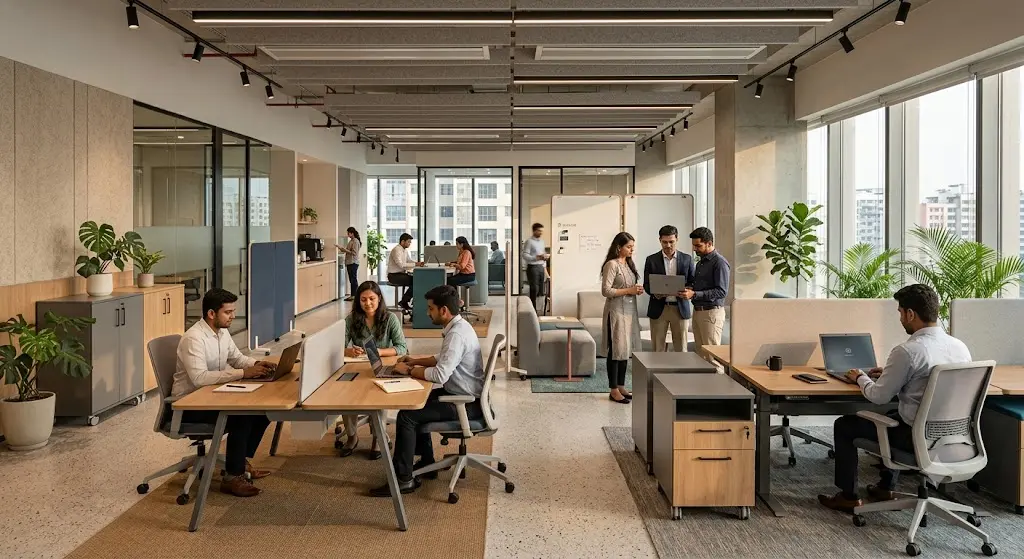
Most companies pick workstations the way they pick paint colors — by eye, from a catalogue, in an afternoon. That approach works until the office feels cramped, the acoustics are wrong, or you've bought desks that don't fit the way your team actually works. This guide walks through the real planning numbers workplace strategists use, then turns them into a practical framework for choosing workstations that fit your space, your roles, and your budget.
Part 1: How Much Space Does a Workstation Actually Need?
Office space planning has shifted noticeably in the last few years, largely driven by hybrid work. Industry benchmarks from global occupancy-planning research show average office space per employee has moved from roughly 165 square feet down toward a target of about 132 square feet, as companies replace assigned desks with shared and hot-desked setups.
That said, "average" hides a lot. Planners generally sort offices into three density bands:
- High density: 80–150 sq ft per person — mostly shared desks, open bench-style workstations, minimal private offices. Common in sales floors, support teams, and high-growth startups.
- Average density: 150–250 sq ft per person — a mix of private offices, workstation clusters, and meeting rooms. This is where most traditional and hybrid offices land.
- Low density / spacious: 250–500 sq ft per person — dominated by private offices. Common in law firms, consultancies, and senior leadership floors.
Within these bands, individual workstation footprints typically run 36–50 square feet for an open desk, with roughly 78% of companies now targeting sub-50-sq-ft workstations as part of denser, hybrid-optimized layouts.
Role-based sizing beats a flat number
A flat "square feet per person" rule tends to overbuild for some teams and underserve others. A more accurate approach maps space to what the role actually needs:
| Role type | Typical space needed |
|---|---|
| Call center / high-volume desk roles | 50–75 sq ft |
| Individual contributors (open desk/cubicle) | 100–150 sq ft |
| Support & administrative roles | 75–100 sq ft |
| Client-facing / sales roles | 90–150 sq ft (often needs private meeting proximity) |
| Professional services (legal, consulting) | 200–400 sq ft, usually private offices |
Why this matters for your workstation choice: a 36 sq ft bench desk is the right call for a support team but the wrong call for a legal or client-facing team that needs sound privacy and space for in-person meetings at the desk.
Part 2: Match the Workstation Type to How the Role Actually Works
Once you know your space band, the next decision is workstation type — and this should follow function, not aesthetics.
Focused, individual work (accounting, coding, writing, analysis)
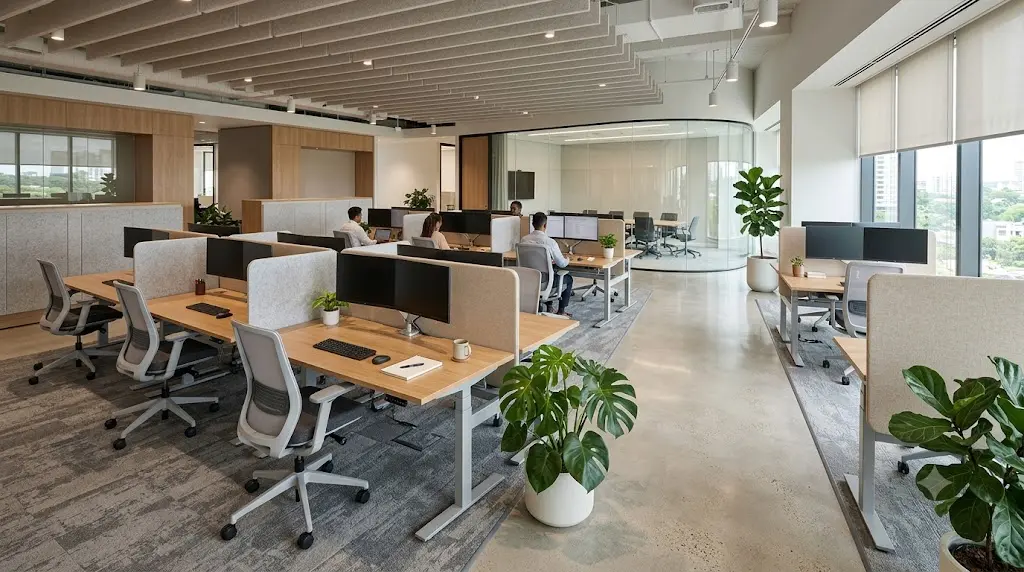
These roles benefit from workstations with taller partitions (42-52 inches) that cut visual and acoustic distraction. Because this kind of work tolerates smaller footprints well, it's also where high-density bench desking works best — as long as partition height compensates for the tighter spacing.
Collaborative teams (sales, marketing, design, product)
Lower partitions (28-36 inches) or fully open cluster desks support the frequent, informal communication these teams rely on. Space planners increasingly pair these zones with adjacent breakout or huddle spaces, since collaborative teams shift constantly between focused desk work and quick group conversations — a pattern that a rigid desk-only layout doesn't support well.
Client-facing and reception-adjacent roles
These need workstations positioned with a clear, presentable sightline from entry points, and ideally close enough to meeting rooms that a client interaction doesn't require crossing the entire floor.
Executive and senior roles
Even in increasingly dense layouts, executive workstations or offices are typically sized at 200-400 sq ft, reflecting both privacy needs and the volume of confidential conversations that happen at that desk.
Part 3: Six Practical Criteria to Check Before You Buy
1. Start with the floor plan, not the catalogue
Measure available floor space and headcount before browsing designs. An open floor plan supports linear or cluster workstations; smaller offices do better with compact L-shaped desks that use corners efficiently. Decide your density band (from Part 1) before you look at a single product photo — it will eliminate half the catalogue immediately and save you from buying furniture that technically "fits" but leaves no room for walkways or breakout zones.
2. Prioritize cable management
A workstation with wires spilling across the floor is both a safety hazard and a daily source of friction for employees. Look for desks with built-in cable trays, grommets, and under-desk routing — a small spec line that has an outsized effect on how "finished" an office looks and how safely it functions.
3. Don't skip built-in storage
Every workstation should have some storage — a pedestal, drawer unit, or shared overhead cabinet — so employees aren't stacking files and personal items on the desk surface itself. Desks without storage tend to look cluttered within weeks of move-in, regardless of how clean the initial layout was.
4. Plan for circulation, not just desks
Space planners consistently flag that aggressive density plans hit circulation limits (the width needed for people to move, pull out chairs, and pass each other) before they hit any code-mandated ceiling. A minimum accessible route generally needs about 36 inches of clear width. If your workstation layout leaves less than that between rows, you'll feel the crowding immediately — even if your total square footage looks fine on paper.
5. Design for headcount growth, not just today's team
Since the shift toward hybrid work has made desk-to-headcount ratios a moving target — not a fixed number — modular systems that can be reconfigured or expanded without full replacement protect you from a second furniture cycle within a year or two of setup.
6. Balance aesthetics with durability
Laminate finishes, powder-coated metal frames, and high-density particle boards remain common in Indian offices because they combine a contemporary look with the durability needed for years of daily wear — a more cost-effective long-term choice than finishes that look good on day one but degrade quickly.
Part 4: A Simple Sizing Checklist
Before finalizing a workstation order, walk through this:
- What's your density band? (High / Average / Low, from Part 1)
- What roles are you furnishing? Map each to its space and privacy needs from the role table above.
- What's your minimum circulation width? Confirm at least 36 inches of clear path between rows.
- Do you need cable management and storage built in, or added separately?
- Is this workstation modular enough to survive a 20-30% headcount change without replacement?
Final Thought
The right workstation isn't just a furniture choice — it's a space-planning decision that determines how your office actually functions day to day. Getting the density band and role-mapping right upfront saves far more money and disruption than optimizing chair fabric or desk color.
At Natraj Furniture, we manufacture and customize modular workstations for offices across Delhi NCR — sized and configured around how your team actually works, not just a catalogue template.
Want a layout recommendation for your office? Get in touch with our team or view our workstation range.
Sources referenced
- JLL 2026 Occupancy Benchmark Report (via OfficeSpaceSoftware.com, ModernNW, NomadGroup summaries)
- CBRE 2026 workplace research (via OfficeSpaceSoftware.com)
- CoreNet Global research (via Density/CubicleByDesign summary)
- Elia.io — "Office Space Requirements: The Complete 2026 Guide"
- Aquila Commercial — "How Much Office Space Do I Need?"